





A great playlist does more than line up songs: it sets a mood, reflects a point of view, tells a story.
We keep giving playlist makers more ways to tell that story, from custom cover art and playlist descriptions to tools for customizing transitions between tracks. Today, we’re introducing Playlist Notes, a new way to add your thoughts and context right inside the playlists you make.
Our globe-spanning team of editors will use this new feature—which grew out of a concept called User Notes—to share the thinking behind their picks on some of Spotify’s biggest playlists, while listeners can add their own notes to playlists they create or collaborate on.
Go behind the picks with Spotify’s editors
With Playlist Notes, editors share why a track matters, what makes it culturally relevant, or why it belongs in that particular playlist. You can also get to know the people behind the playlists through Editor Profiles. Each profile features an editor’s top tracks and albums, along with the playlists they contribute to.
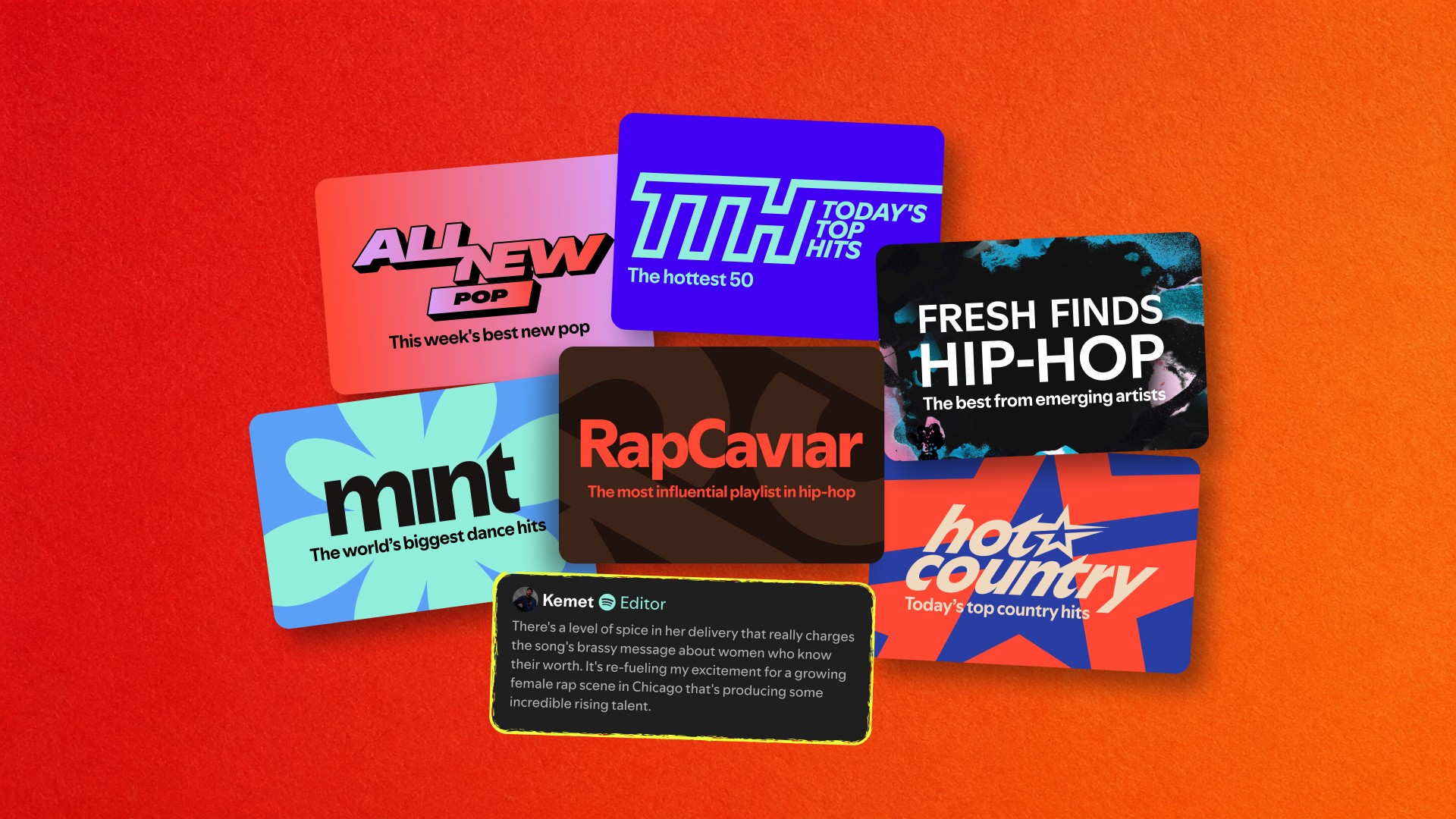
Playlist Notes from editors and Editor Profiles are currently rolling out to Free and Premium users ages 16 and older in the U.S., Canada, the U.K., Ireland, Australia, and New Zealand. To start, you’ll find notes in Today’s Top Hits, RapCaviar, Hot Country, All New Pop, mint, and Fresh Finds Hip-Hop.
Tap Notes at the top of participating playlists to start exploring. To visit an Editor Profile, tap an editor’s name alongside a note or at the top of the playlist.
You’ll also see notes in Now Playing, even when you’re listening to a song outside the playlist where the note originated.

Bring more of yourself to your playlists
Of course, our editors aren’t the only ones with stories to tell. On mobile, you can add your own notes to the tracks, podcast episodes, and audiobooks you’ve added to your playlists. Capture a memory, share a recommendation, or explain why a pick made the cut.
Anyone who can view your playlist can also see your notes, with your name linking to your profile. Playlist Notes, like everything shared on Spotify, must follow our Platform Rules and Terms of Use.
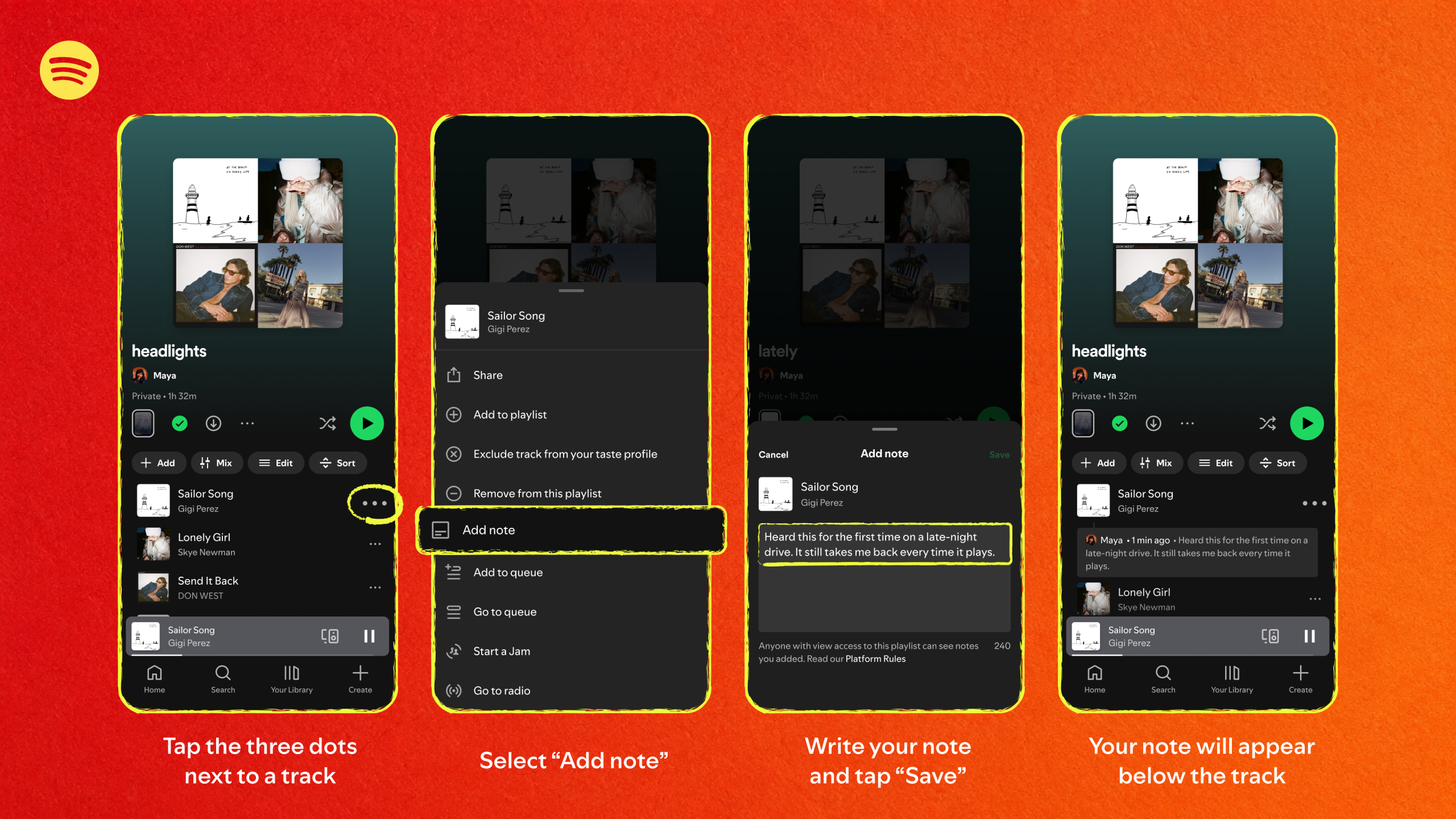
How to add a note
Playlist Notes on user-curated playlists are currently rolling out on iOS and Android in more than 100 markets globally. Availability may differ from editors’ Playlist Notes.
-
- Open a playlist you own or collaborate on.
- Tap the three dots (…) next to a track, podcast episode, or audiobook you’ve added to the playlist.
- Select Add note.
- Enter your note, then tap Save.
From the way songs flow together to the stories behind each pick, your playlists just got more personal. Update your app to get the latest features as they roll out.
Recent Comments