


Tag: spotify jam

Introducing Listening Activity and Request to Jam in Messages on Spotify

We know people use Spotify not just to listen, but to share the songs, podcasts, and audiobooks they love with their friends and family. When we launched Messages last year, we gave users a place to do that right in the app. Since then, almost 40 million users have sent nearly 340 million messages, showing that listeners are excited to share what they’re streaming.  

Today, we’re building on that experience with two new Messages features: Listening activity and Request to Jam. Listening activity gives users a real-time look at what music their friends and family are listening to, while Request to Jam makes it easy to quickly turn those moments into shared listening sessions.

Take a look…

Listening activity 

Listening activity is an opt-in feature that allows you to display what music you’re currently listening to within Messages in real time. If you’re not actively listening, your most recently played song will be displayed instead. It’s visible only to friends and family you have already connected with on Messages, and you can see others’ activity even if you haven’t turned your own activity on, as long as they’ve opted in.

Here’s how it works:

    • Users can turn on listening activity via Privacy and social settings, accessible through the side drawer next to the “View profile” button. 
    • Once enabled, activity appears in the chat row of the side drawer and at the top of Messages chats.
    • If a user taps on their friend or family member’s listening activity, they’ll be able to add tracks to their library, start playback, open the track’s context menu, or react with one of six standard emojis.

Listening activity is only shared with people you’ve already messaged on Spotify, and you’re always in control—only the contacts you choose can see your activity, and you can turn it off at any time.

Request to Jam

To complement listening activity, we’re making it easier to turn musical moments into shared experiences with Request to Jam, a new way for users to invite friends or family they’re connected with in Messages into a live listening session.

Our Jam feature has been growing in popularity, with daily active users more than doubling year over year. With Jam, users can listen from anywhere—but it can be hard to know when your friends are available to listen together when you’re apart. Now, users can see when someone is already listening, join them, and even message in sync while listening so they can talk about what’s playing and what’s up next.

Here’s how it works:

    • From a Messages chat, Premium users can tap Jam in the top right corner to send a request for a remote Jam. 
    • Your friend will receive the request and can either accept or decline.
    • If accepted, the recipient becomes the host of the Jam session. From there, both participants in the Jam can add tracks to a shared queue and listen together.

These new updates make it easier for users to enjoy music together while making discovery and expression even more seamless.
5 Spotify Premium Hacks You Need To Know

Finding the perfect song, pod, or audiobook can be transformative, which is why we here at Spotify continuously innovate our products and features to provide the best experience possible. For our more than 200 million Premium subscribers, that includes plenty of perks beyond access to ad-free music listening. If you’re a Spotify Premium user, here are five hacks you need to know to make the most out of your subscription.

How to download your favorites for offline listening

No Wi-Fi, no problem. Before you go off the grid, download your favorite music, podcasts, or audiobooks so you can listen anytime, anywhere.

Navigate to the playlist, album, podcast, or audiobook you want to download and tap the ( ↓ ) icon at the top of the page.

How to multitask like a pro with the Desktop Miniplayer

This top-requested feature from users is now live and available for Premium subscribers using Spotify on Desktop. Premium listeners can open up a miniature window for Spotify, giving them playback control while using other apps and windows.

So whether you’re listening to your daylist while answering emails or watching your favorite music video (available in select markets) while online shopping, the new Desktop Miniplayer is the ultimate companion. It’s fully flexible, meaning it can be stretched as big or as small as you’d like, and is easy to move around your screen.

How to find your next beach read with audiobooks in Premium

Booklovers, rejoice! In the U.S., U.K, and Australia—and coming soon in Canada, Ireland, and New Zealand—Premium subscribers can stream up to 15 hours each month of over 250,000 audiobooks on Spotify, all included in their existing plan. This includes a sweeping range of both contemporary and classic novels, from RuPaul’s The House of Hidden Meanings to Emily Brontë’s Wuthering Heights.

Any book marked “Included in Premium” is available to each Premium Individual subscriber, as well as plan managers for Family and Duo accounts. Just hit play and dive right in.

How to soundtrack your day using our AI DJ

Ever wish you could just sit back and let someone else pick your favorite music for you? Well, if you have Premium, you’re in luck. Did you know that Spotify has a personalized AI DJ named X? Simply tap the “Music” tab in the Spotify app or search “DJ” to launch your personal DJ experience complete with tailored song selections, cultural commentary, and more.

How to start a group-listening session with Spotify Jam

There’s nothing quite like connecting over a shared love of music. That’s the beauty of Jam, a personalized, real-time listening session for your group to tune in to together. While anyone can join a Jam in person, only Premium users can “host” a Jam session with full control over the queue. Premium users are also the only ones who can join or create a long-distance Jam wherever they are.

Select a playlist or song to get started. You’ll see the “Start a Jam” button by clicking the speaker icon at the bottom of your screen or by hitting the three-dot menu within the playlist or song. You can also select a device to play on, whether that’s your phone or a speaker.

You can then invite your squad by turning on Bluetooth and tapping your phones together, or by having your friends scan the QR code on your host screen. You can also hit “share” to send the link through social, text, SMS, and more.

Oh, and Jam also works on desktop. Simply tap the three-dot menu or right click on a playlist or song, click “Start a Jam,” and then invite your friends through a share link or QR code.

Ready for the perks of going Premium? Peruse our plans at spotify.com/premium.

*Update as of April 17, 2024: Now through May 21, Spotify Premium is offering three months free to eligible Free and first time-users for the Individual Premium plan. For those who are missing their Individual Premium plan and canceled for one reason or another, Spotify Premium is also offering three months for just $10.99 (or market equivalent). Explore offers at spotify.com/premium.

*Update as of August 14, 2024: Now through September 17, Spotify Premium is offering three months free to eligible Free and first time-users for the Individual Premium plan. For those who are missing their Individual Premium plan and canceled for one reason or another, Spotify Premium is also offering three months for just $11.99 (or market equivalent). Explore offers at spotify.com/premium.

*Update as of November 25, 2024: Now through December 31, Spotify Premium is offering three months free to eligible Free and first time-users for the Individual Premium plan. For those who are missing their Individual Premium plan and canceled for one reason or another, Spotify Premium is also offering three months for just $11.99 (or market equivalent). 

Jared Leto and Spotify Come Together in NYC to Jam in Honor of Thirty Seconds to Mars’ New Album

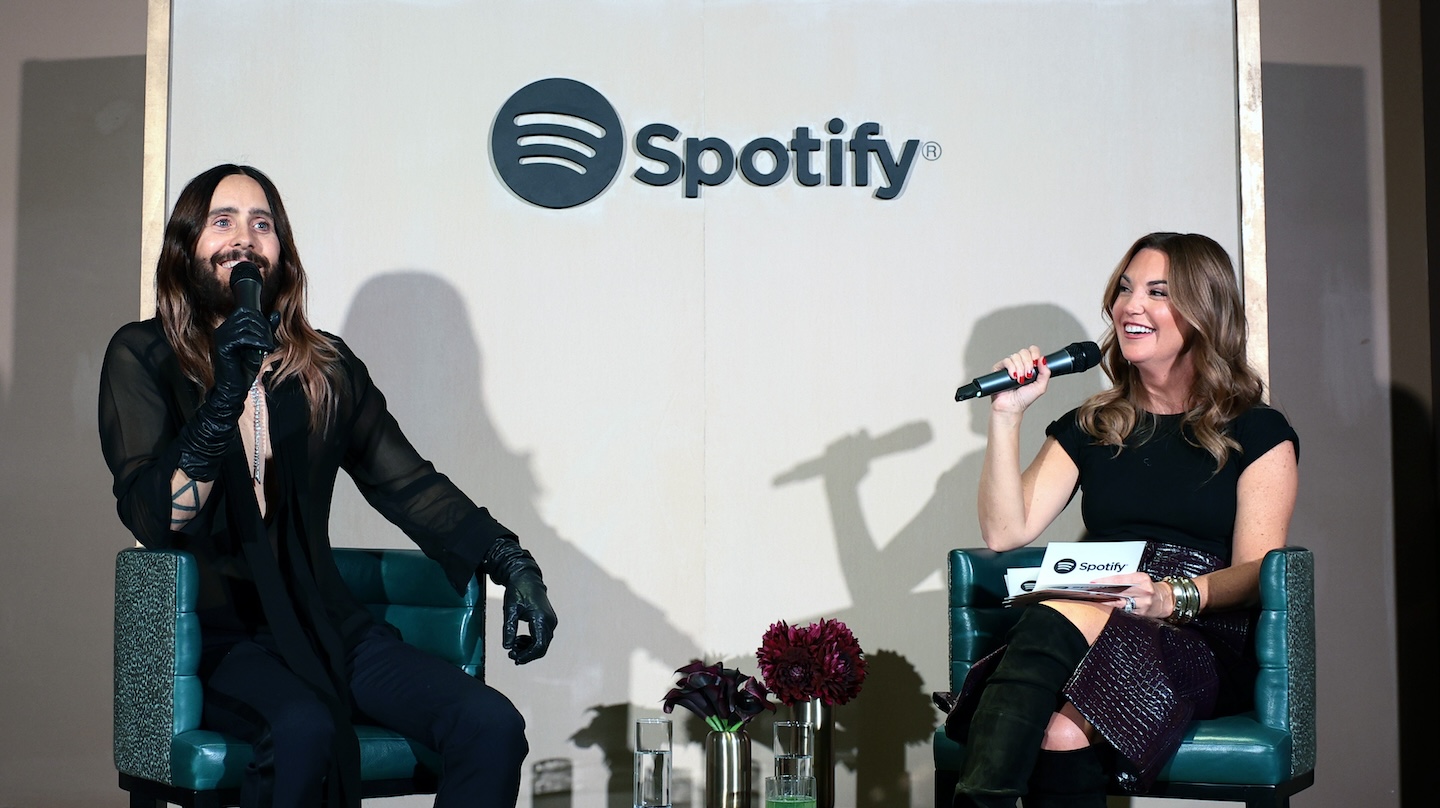
You may know multi-hyphenate Jared Leto as the front man of Thirty Seconds to Mars or from his starring roles in WeCrashed and Dallas Buyers Club. Tuesday night, guests at the Spotify-hosted “An Evening with Jared Leto” got to know him as all that and the host of a Spotify Jam session. 

Jared joined Dustee Jenkins, Spotify’s Chief Public Affairs Officer, along with luminaries like angel investor and personality Hannah Bronfman, entertainment host and entrepreneur Zanna Roberts Rassi, former Hearst Chief Content Officer Joanna Coles, actress Willa Fitzgerald, and celebrity chef Kwame Onuwachi, as well as creators like Chris Olsen, Haley Kalil, Antoni Bumba, Victoria Brito, and Edvin Thompson at Zero Bond in New York City for cocktails, light bites, and conversation.The focal point of the evening was to hear Jared talk about the new Thirty Seconds to Mars album, It’s The End of the World But It’s a Beautiful Day.